In Amazon operations, keywords are the “invisible bridge” connecting products and buyers—accurate keywords can make products appear in target users’ search results, while long-tail keywords can avoid fierce competition and bring high-conversion, precise traffic. Want to systematically dig out effective keywords? The following 10 methods start from multiple platforms and scenarios to help you cover the entire user search path.
I. Capture Initial Needs from “Search Entries”: Drop-Down Boxes Are Natural Keyword Libraries
When users enter search terms, the platform’s drop-down box automatically pops up high-frequency search terms. These words directly reflect real needs and are the “first stop” for keyword research.
1. Amazon Search Drop-Down Box: Focus on In-Platform Precise Needs
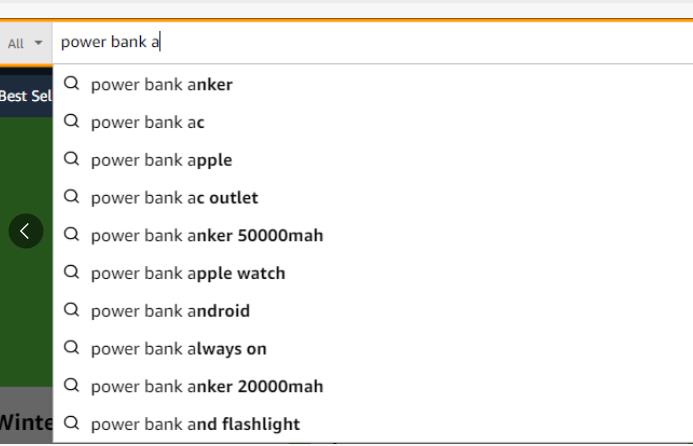
Take “power bank” as an example. After entering the core term in the search box, try adding numbers (0-9) or letters (a-z), such as “power bank 10000mah” or “power bank anker”. These combinations can dig out users’ specific needs for capacity (10000mah), brands (anker), and functions (ac outlet). Words like “power bank for iphone 15” are even long-tail terms combined with product adaptation scenarios, with low competition and clear conversion potential.
2. Drop-Down Boxes of Other E-Commerce Platforms: Expand Cross-Platform Common Needs
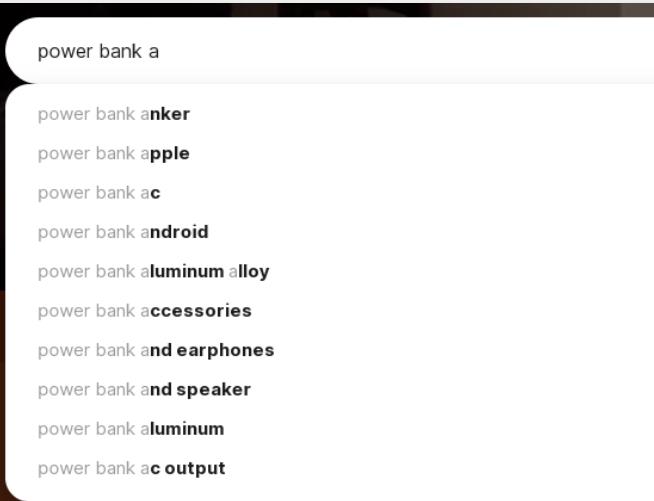
Drop-down boxes on platforms like Alibaba International, eBay, and AliExpress can supplement needs not covered by Amazon. For example, “power bank aluminum alloy” and “power bank accessories” may not have high search volume on Amazon but can accurately reach users concerned about materials or peripherals.
3. Search Engine Drop-Down Boxes: Capture Scenario-Based Searches
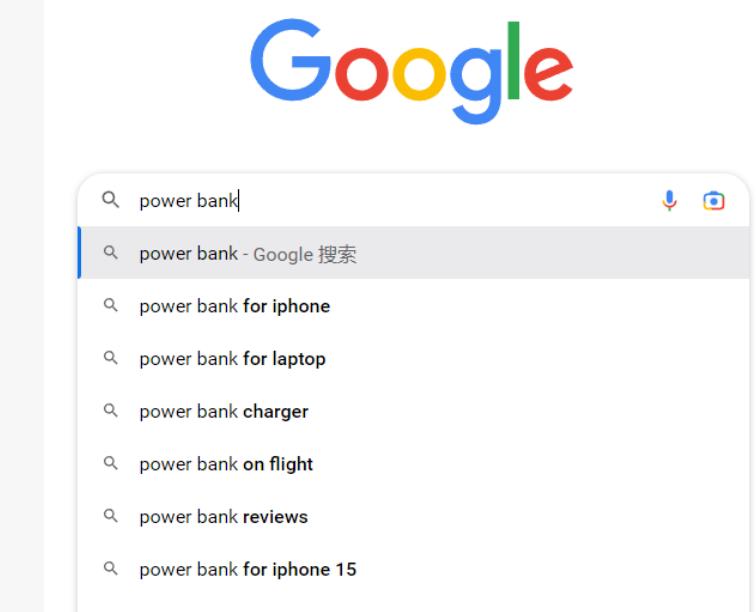
Drop-down terms on search engines like Google and Bing are more inclined to “scenario needs”. For instance, “power bank on flight” and “power bank limit in flights” are related to users’ usage scenarios. They are suitable for long-tail keyword optimization to attract buyers with specific scenario needs.
II. Dig Out Extended Needs from “Search Results”: Related Recommendations Hide Traffic Codes
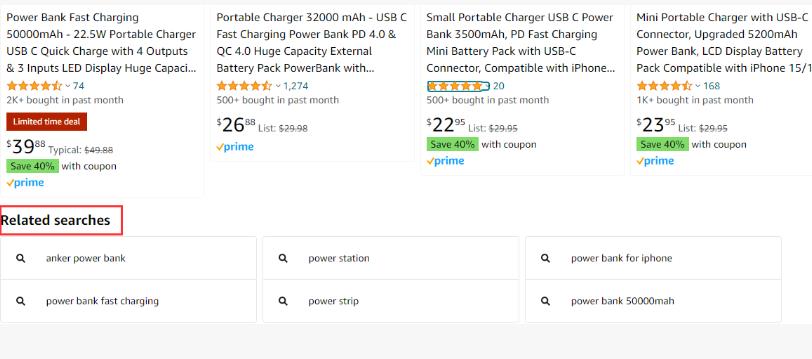
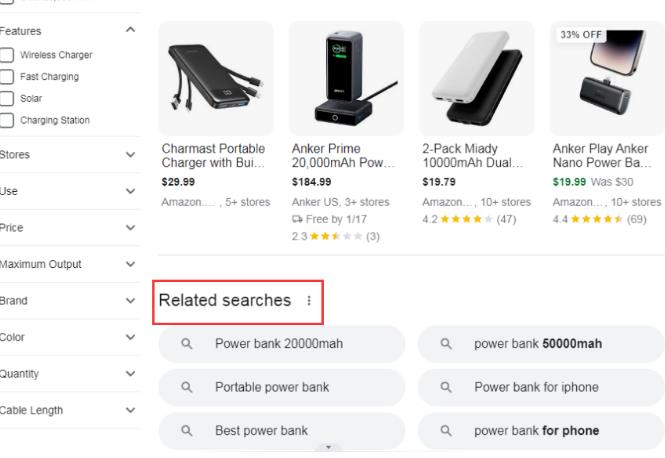
The “Related Searches” at the bottom of the page after users search, and high-frequency terms in search results, are extended needs that users don’t directly input but are interested in.
4. Related Searches: Undertake Users’ Secondary Searches
At the bottom of search result pages on Amazon or other platforms, related search terms such as “power bank fast charging” and “power bank 50000mah” are essentially upgrades of users’ “basic needs” (e.g., from “power bank” to “power bank fast charging”). These terms usually have moderate competition and can accurately match users with clear functional needs.
5. High-Frequency Terms in Amazon Reviews: Capture Real Pain Points from Buyer Feedback
Repeatedly appearing phrases in Amazon reviews are keywords “voted by users with their actions”. For example, “battery life”, “built-in cables”, and “digital display” directly reflect the core selling points that buyers care about. Adding them to listings can not only improve keyword relevance but also hit users’ pain points.
III. Find Trend Needs from “Data Tools”: Predict Traffic Trends with Data
With professional tools and trend platforms, you can capture rising keywords in advance and seize traffic opportunities.
6. Google Trends: Lock in Rising Needs
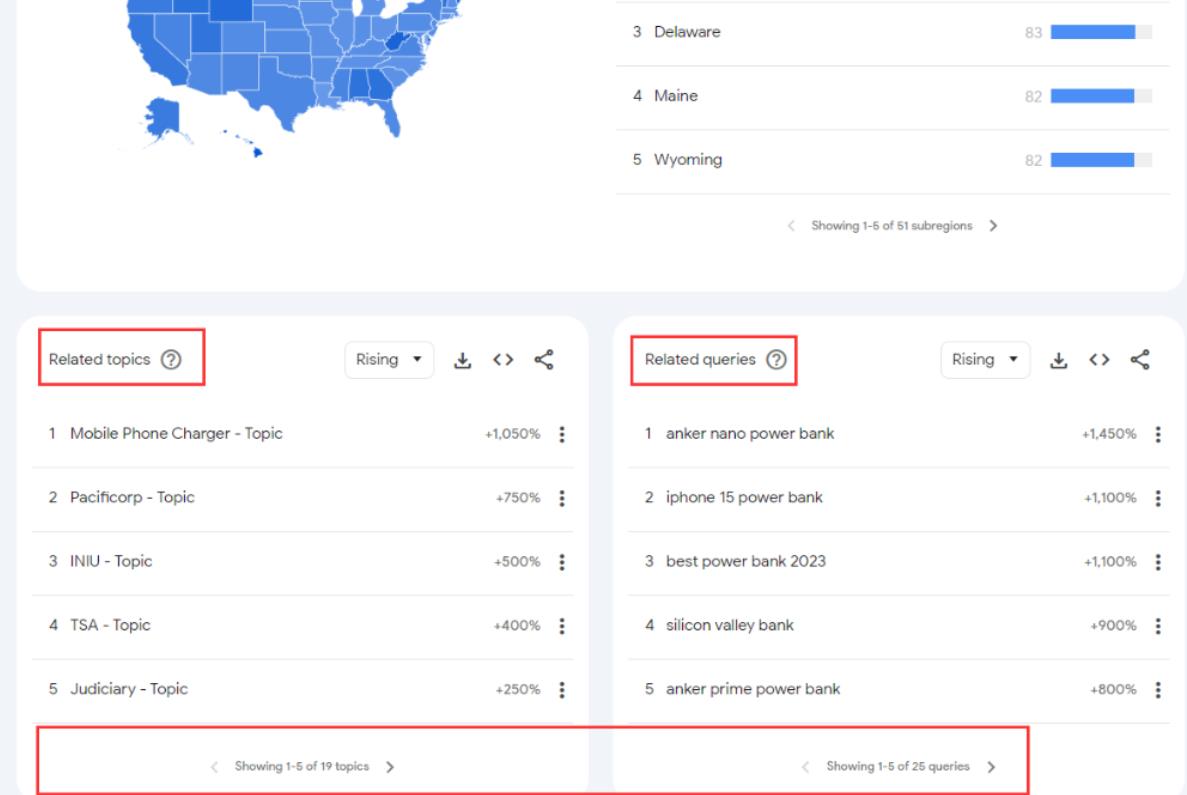
Searching for core terms in Google Trends allows you to check the popularity changes of related topics. For example, the increasing search volume of “anker nano power bank” and “iphone 15 power bank” indicates that demand for brand segmentation and new product adaptation is growing. Timely layout of such terms can seize the dividend period.
7. Amazon ABA (Brand Analytics): Lock in High-Conversion Terms with Platform Data
Amazon ABA tools display data such as click volume and conversion share of popular search terms. For instance, “power bank fast charging” has high search volume and considerable conversion share, indicating that users have clear demand for “fast charging” and are willing to place orders. Such terms are worth focusing on for optimization.
IV. Dig Out Hidden Needs from “User Communities”: Scenario-Based Keywords Lie in Communications
Discussions on social platforms and forums often expose unmet hidden needs, and the corresponding keywords are more differentiated.
8. Overseas Forums and Social Platforms: Capture Real Usage Scenarios
Searching for core terms in Reddit and Quora can find users’ specific questions, such as “power bank for macbook pro”; in video titles and comments on YouTube and Instagram, you may find functional segmented terms like “power bank with ac outlet”. These terms accurately correspond to niche but clear needs.
9. Competitor Analysis: Directly Reuse Verified Keywords
Analyze the titles, bullet points, Q&A, and reviews of competitors’ listings to extract high-frequency terms. For example, if competitors frequently mention “22.5W Fast Charging” and “4 Outputs”, it indicates that these parameters are the focus of users’ attention and can be added as keywords to your own listings.
V. Summary: The Core Logic of Keyword Research
The essence of keyword research is “restoring the user search path”—from initial searches (drop-down boxes) to secondary screening (related searches), from functional needs (reviews) to trend needs (tools), and then to scenario needs (communities). After collecting keywords from different channels, classify them by “core terms + attribute terms (capacity, function) + scenario terms (adapted devices, usage scenarios)”. This can not only cover mainstream traffic but also avoid competition through long-tail terms.
Finally, a reminder: Keywords are not static. They need to be updated regularly based on data tools and user feedback to continuously grasp the core of traffic.